Mobile Banking
Mobile Banking Applications
Our NEW Mobile Apps
Have Finally Launched!
See below for details.
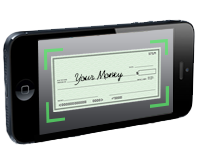
Boulder Valley CU offers the most advanced mobile banking technology for both your Apple or Android smartphone or tablet – BVCU Mobile. Our latest release features Mobile Check Deposit, Bill Pay, as well as first generation Mobile Wallet and Mobile Payments technology. Read below for a full list of features, and click on the links under “BVCU Mobile Resources” in order to access Video Tutorials, a User Guide, and a list of Frequently Asked Questions.
Features
- Check account balances
- Review transaction history
- Transfer between accounts
- Make Mobile Check Deposits
- Pay bills via integrated Bill Pay
- Link other account numbers under one
User ID - Make Person-to-Person payments via
email or phone number - Purchase eGift Cards to select
merchants and gift them electronically - Locate the nearest ATM, Branch or Service Center
- Set Rate Watch alerts
- Set account notifications
- Text Banking
Security Features
- BVCU Mobile is protected with SSL encryption, the same security protection used when logging into Online Banking from a web browser on a computer
- Passwords are required to login
- Inactivity time-out period
- Auto logoff any time you exit the application
- Multi-Factor Authentication
- Challenge Question Security
- Out-of-band enrollment
Download BVCU Mobile
To download our App visit either the Apple App Store or Google Play on your device and search "BVCU Mobile."
Available through these stores: |
|
If you do not have an Apple or Android device you may access BVCU Mobile via the browser on your device by typing in bvcu.mobi in your browser web address bar. Please note, however, that functionality will be limited and that many of the newest features of BVCU Mobile will not be available from within the browser only version